Liferay Faces
Reference Portlets
| Liferay Faces Alloy Showcase |
|---|
 Released: September 13, 2017
 Technologies: Facelets, Liferay Faces Alloy, Liferay Faces Bridge, Liferay Faces Portal
Binary Downloads: 3.1.0 (compatible w/Liferay Portal 6.2.x), 4.1.0 (compatible w/Liferay Portal 7.0.x)
Source Downloads: 3.1.0 (compatible w/Liferay Portal 6.2.x), 4.1.0 (compatible w/Liferay Portal 7.0.x)
GitHub: https://github.com/liferay/liferay-faces-bridge-impl/tree/4.1.0/demo/alloy-showcase-portlet
Online Demo: Liferay Faces Alloy Showcase
| JSF Showcase |
|---|
Released: September 13, 2017 Technologies: Facelets, Liferay Faces Alloy, Liferay Faces Bridge, Liferay Faces Portal
Binary Downloads: 3.1.0 (compatible w/Liferay Portal 6.2.x), 4.1.0 (compatible w/Liferay Portal 7.0.x)
Source Downloads: 3.1.0 (compatible w/Liferay Portal 6.2.x), 4.1.0 (compatible w/Liferay Portal 7.0.x)
GitHub: https://github.com/liferay/liferay-faces-bridge-impl/tree/4.1.0/demo/jsf-showcase-portlet
Online Demo: JSF Showcase
| Liferay Faces Portal Showcase |
|---|
Released: September 13, 2017 Technologies: Facelets, Liferay Faces Alloy, Liferay Faces Bridge, Liferay Faces Portal
Binary Downloads: 3.1.0 (compatible w/Liferay Portal 6.2.x), 4.1.0 (compatible w/Liferay Portal 7.0.x)
Source Downloads: 3.1.0 (compatible w/Liferay Portal 6.2.x), 4.1.0 (compatible w/Liferay Portal 7.0.x)
GitHub: https://github.com/liferay/liferay-faces-portal/tree/3.0.1/demo/portal-showcase-portlet
Online Demo: Liferay Faces Portal Showcase
| Liferay Faces Alloy Applicant Portlet |
|---|
 Released: September 13, 2017
 Technologies: Facelets, Liferay Faces Alloy, Liferay Faces Bridge
Binary Downloads: 3.1.0 (compatible w/Liferay Portal 6.2.x), 4.1.0 (compatible w/Liferay Portal 7.0.x)
Source Downloads: 3.1.0 (compatible w/Liferay Portal 6.2.x), 4.1.0 (compatible w/Liferay Portal 7.0.x)
GitHub: https://github.com/liferay/liferay-faces-bridge-impl/tree/4.1.0/demo/alloy-applicant-portlet
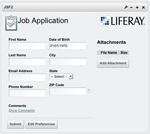
Contains a single "Job Application" portlet within the WAR that demonstrates several of the key features of JSF 2 and Liferay Faces Alloy:
- Uses the <alloy:inputDate/> tag for a popup date selector
- Uses the JSF 2 <f:ajax /> tag on the postal (zip) code field in order to provide the ability to auto-fill fields via Ajax
- Uses the JSF 2 <f:ajax /> tag on the show/hide comments links in order to show/hide the comments field via Ajax
- Model managed-bean is marked with the JSF 2 @ViewScoped annotation in order to support a rich UI with the <f:ajax /> tag
- Uses the JSF 2 <f:ajax /> tag to show navigation-rules executing without full page refreshes
- File upload capabilities via <h:form enctype="multipart/form-data">
- Managed-beans defined by marking POJOs with the JSF 2 @ManagedBean annotation
- Dependency injection of managed-beans done via the JSF 2 @ManagedProperty annotation
- Uses the alloy:inputFile tag for multi-file upload
(Ajax-based file upload available with JSF 2.2 but not with JSF 2.1) - Uses the alloy:dataTable tag to list the uploaded files
- Uses the alloy:dialog tag to popup a yes/no dialog to verify file deletion
| JSF Applicant Portlet |
|---|
Released: September 13, 2017 Technologies: Facelets, Liferay Faces Alloy, Liferay Faces Bridge
Binary Downloads: 3.1.0 (compatible w/Liferay Portal 6.2.x), 4.1.0 (compatible w/Liferay Portal 7.0.x)
Source Downloads: 3.1.0 (compatible w/Liferay Portal 6.2.x), 4.1.0 (compatible w/Liferay Portal 7.0.x)
GitHub: https://github.com/liferay/liferay-faces-bridge-impl/tree/4.1.0/demo/jsf-applicant-portlet
Contains a single "Job Application" portlet within the WAR that demonstrates several of the key features of JSF 2:
- Uses the JSF 2 <f:ajax /> tag on the postal (zip) code field in order to provide the ability to auto-fill fields via Ajax
- Uses the JSF 2 <f:ajax /> tag on the show/hide comments links in order to show/hide the comments field via Ajax
- Model managed-bean is marked with the JSF 2 @ViewScoped annotation in order to support a rich UI with the <f:ajax /> tag
- Uses the JSF 2 <f:ajax /> tag to show navigation-rules executing without full page refreshes
- File upload capabilities via <h:form enctype="multipart/form-data">
- Managed-beans defined by marking POJOs with the JSF 2 @ManagedBean annotation
- Dependency injection of managed-beans done via the JSF 2 @ManagedProperty annotation
| JSF HTML5 Applicant Portlet |
|---|
Technologies: Facelets, Liferay Faces Alloy, Liferay Faces Bridge
Binary Downloads: 3.1.0 (compatible w/Liferay Portal 6.2.x), 4.1.0 (compatible w/Liferay Portal 7.0.x)
Source Downloads: 3.1.0 (compatible w/Liferay Portal 6.2.x), 4.1.0 (compatible w/Liferay Portal 7.0.x)
GitHub: https://github.com/liferay/liferay-faces-bridge-impl/tree/4.1.0/demo/jsf-html5-applicant-portlet
Similar to the aforementioned JSF Portlet except that it uses JSF 2.2 HTML5 Friendly Markup.
| JSF CDI Applicant Portlet |
|---|
Released: September 13, 2017 Technologies: Facelets, Liferay Faces Alloy, Liferay Faces Bridge
Binary Downloads: 3.1.0 (compatible w/Liferay Portal 6.2.x), 4.1.0 (compatible w/Liferay Portal 7.0.x)
Source Downloads: 3.1.0 (compatible w/Liferay Portal 6.2.x), 4.1.0 (compatible w/Liferay Portal 7.0.x)
GitHub: https://github.com/liferay/liferay-faces-bridge-impl/tree/4.1.0/demo/jsf-cdi-applicant-portlet
This is the same as the jsf-applicant-portlet, except that it utilizes CDI via JBoss Weld.
- ApplicantBackingBean.java uses javax.inject.Named annotation instead of JSF 2.1 @ManagedBean
- ApplicantBackingBean.java uses javax.enterprise.context.RequestScoped instead of JSF 2.1 @RequestScoped
- ApplicantBackingBean.java uses javax.inject.Inject instead of JSF 2.1 @ManagedProperty
- ApplicantModelBean.java still utilizes the JSF 2.1 javax.faces.bean.ViewScoped annotation because the CDI version of view scope requires JSF 2.2
| JSF Spring Applicant Portlet |
|---|
 Released: September 13, 2017
 Technologies: Facelets, Liferay Faces Alloy, Liferay Faces Bridge
Binary Downloads: 3.1.0 (compatible w/Liferay Portal 6.2.x), 4.1.0 (compatible w/Liferay Portal 7.0.x)
Source Downloads: 3.1.0 (compatible w/Liferay Portal 6.2.x), 4.1.0 (compatible w/Liferay Portal 7.0.x)
GitHub: https://github.com/liferay/liferay-faces-bridge-impl/tree/4.1.0/demo/jsf-spring-applicant-portlet
This is the same as the jsf-applicant-portlet, except that it utilizes the Spring Framework for bean management and dependency injection.
- ApplicantBackingBean.java uses javax.inject.Named annotation instead of JSF 2.1 @ManagedBean
- ApplicantBackingBean.java uses org.springframework.context.annotation.Scope("request") instead of JSF 2.1 @RequestScoped
- ApplicantBackingBean.java uses javax.inject.Inject instead of JSF 2.1 @ManagedProperty
- ApplicantModelBean.java utilizes org.springframework.context.annotation.Scope("view") as a wrapper around the JSF 2.1 javax.faces.bean.ViewScoped annotation
| JSF Flows Portlet |
|---|
 Released: September 13, 2017
 Technologies: Facelets, Liferay Faces Alloy, Liferay Faces Bridge
Binary Downloads: 3.1.0 (compatible w/Liferay Portal 6.2.x), 4.1.0 (compatible w/Liferay Portal 7.0.x)
Source Downloads: 3.1.0 (compatible w/Liferay Portal 6.2.x), 4.1.0 (compatible w/Liferay Portal 7.0.x)
GitHub: https://github.com/liferay/liferay-faces-bridge-impl/tree/4.1.0/demo/jsf-flows-portlet
- Demonstrates JSF 2.2 "Faces Flows" and the new CDI-based @FlowScoped annotation.
| PrimeFaces Applicant Portlet |
|---|
Released: September 13, 2017 Technologies: Facelets, Liferay Faces Alloy, Liferay Faces Bridge, PrimeFaces
Binary Downloads: 3.1.0 (compatible w/Liferay Portal 6.2.x), 4.1.0 (compatible w/Liferay Portal 7.0.x)
Source Downloads: 3.1.0 (compatible w/Liferay Portal 6.2.x), 4.1.0 (compatible w/Liferay Portal 7.0.x)
GitHub: https://github.com/liferay/liferay-faces-bridge-impl/tree/4.1.0/demo/primefaces-applicant-portlet
Contains a single "Job Application" portlet within the WAR that demonstrates several of the key features of JSF 2 and PrimeFaces:
- Uses the PrimeFaces <p:calendar/> tag for a popup date selector
- Uses the JSF 2 <f:ajax /> tag on the postal (zip) code field in order to provide the ability to auto-fill fields via Ajax
- Uses the JSF 2 <f:ajax /> tag on the show/hide comments links in order to show/hide the comments field via Ajax
- Model managed-bean is marked with the JSF 2 @ViewScoped annotation in order to support a rich UI with the <f:ajax /> tag
- Uses the JSF 2 <f:ajax /> tag to show navigation-rules executing without full page refreshes
- File upload capabilities via <h:form enctype="multipart/form-data">
- Managed-beans defined by marking POJOs with the JSF 2 @ManagedBean annotation
- Dependency injection of managed-beans done via the JSF 2 @ManagedProperty annotation
- Uses the PrimeFaces p:fileUpload tag for multi-file Ajax-based file upload
- Uses the PrimeFaces p:dataTable tag to list the uploaded files
- Uses the PrimeFaces p:confirmDialog tag to popup a yes/no dialog to verify file deletion
| RichFaces Applicant Portlet |
|---|
 Released: September 13, 2017
 Technologies: Facelets, Liferay Faces Alloy, Liferay Faces Bridge, RichFaces
Binary Downloads: 3.1.0 (compatible w/Liferay Portal 6.2.x), 4.1.0 (compatible w/Liferay Portal 7.0.x)
Source Downloads: 3.1.0 (compatible w/Liferay Portal 6.2.x), 4.1.0 (compatible w/Liferay Portal 7.0.x)
GitHub: https://github.com/liferay/liferay-faces-bridge-impl/tree/4.1.0/demo/richfaces-applicant-portlet
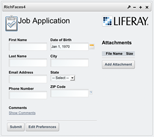
Contains a single "Job Application" portlet within the WAR that demonstrates several of the key features of JSF 2 and RichFaces:
- Uses the RichFaces <rich:calendar/> tag for a popup date selector
- Uses the <a4j:ajax /> tag on the postal (zip) code field in order to provide the ability to auto-fill fields via Ajax
- Uses the <a4j:ajax /> tag on the show/hide comments links in order to show/hide the comments field via Ajax
- Model managed-bean is marked with the JSF 2 @ViewScoped annotation in order to support a rich UI with the <a4j:ajax /> tag
- Uses the <a4j:ajax /> tag to show navigation-rules executing without full page refreshes
- File upload capabilities via <h:form enctype="multipart/form-data">
- Managed-beans defined by marking POJOs with the JSF 2 @ManagedBean annotation
- Dependency injection of managed-beans done via the JSF 2 @ManagedProperty annotation
| BootsFaces Applicant Portlet |
|---|
Released: September 13, 2017 Technologies: Facelets, Liferay Faces Alloy, Liferay Faces Bridge, BootsFaces
Binary Downloads: 4.1.0 (compatible w/Liferay Portal 7.0.x)
Source Downloads: 4.1.0 (compatible w/Liferay Portal 7.0.x)
GitHub: https://github.com/liferay/liferay-faces-bridge-impl/tree/4.1.0/demo/bootsfaces-applicant-portlet
Contains a single "Job Application" portlet within the WAR that demonstrates several of the key features of BootsFaces:
- Uses the JSF 2 <f:ajax /> tag on the postal (zip) code field in order to provide the ability to auto-fill fields via Ajax
- Uses the JSF 2 <f:ajax /> tag on the show/hide comments links in order to show/hide the comments field via Ajax
- Model managed-bean is marked with the JSF 2 @ViewScoped annotation in order to support a rich UI with the <f:ajax /> tag
- Uses the JSF 2 <f:ajax /> tag to show navigation-rules executing without full page refreshes
- File upload capabilities via <h:form enctype="multipart/form-data">
- Managed-beans defined by marking POJOs with the JSF 2 @ManagedBean annotation
- Dependency injection of managed-beans done via the JSF 2 @ManagedProperty annotation
| ButterFaces Applicant Portlet |
|---|
Released: September 13, 2017 Technologies: Facelets, Liferay Faces Alloy, Liferay Faces Bridge, ButterFaces
Binary Downloads: 4.1.0 (compatible w/Liferay Portal 7.0.x)
Source Downloads: 4.1.0 (compatible w/Liferay Portal 7.0.x)
GitHub: https://github.com/liferay/liferay-faces-bridge-impl/tree/4.1.0/demo/butterfaces-applicant-portlet
Contains a single "Job Application" portlet within the WAR that demonstrates several of the key features of ButterFaces:
- Uses the JSF 2 <f:ajax /> tag on the postal (zip) code field in order to provide the ability to auto-fill fields via Ajax
- Uses the JSF 2 <f:ajax /> tag on the show/hide comments links in order to show/hide the comments field via Ajax
- Model managed-bean is marked with the JSF 2 @ViewScoped annotation in order to support a rich UI with the <f:ajax /> tag
- Uses the JSF 2 <f:ajax /> tag to show navigation-rules executing without full page refreshes
- File upload capabilities via <h:form enctype="multipart/form-data">
- Managed-beans defined by marking POJOs with the JSF 2 @ManagedBean annotation
- Dependency injection of managed-beans done via the JSF 2 @ManagedProperty annotation
Inter-Portlet Communication (IPC)
| JSF IPC (Events) - Customers |
|---|
 Released: September 13, 2017
 Technologies: Facelets, Liferay Faces Bridge
Binary Downloads: 3.1.0 (compatible w/Liferay Portal 6.2.x), 4.1.0 (compatible w/Liferay Portal 7.0.x)
Source Downloads: 3.1.0 (compatible w/Liferay Portal 6.2.x), 4.1.0 (compatible w/Liferay Portal 7.0.x)
GitHub: https://github.com/liferay/liferay-faces-bridge-impl/tree/4.1.0/demo/jsf-ipc-events-customers-portlet
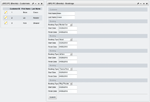
Contains one JSF 2 portlet named "Customers" that is meant to be used with the "Bookings" portlet (see separate WAR download below).
- When a customer is selected from the Customers portlet, the Customers portlet undergoes the Portlet 2 ACTION_PHASE and broadcasts a Portlet 2 event named "ipc.customerSelected" and passes a serializable Customer.java POJO instance as the payload.
- When the Bookings portlet undergoes the Portlet 2 EVENT_PHASE, it receives the Portlet 2 event named "ipc.customerSelected" via the JSR 329 BridgeEventHandler mechanism. The CustomerSelectedEventHandler will trigger a JSF navigation rule that will cause the details event payload (the selected customer) to be displayed.
- When the customer's details (such as first name / last name) are edited in the Bookings portlet, it will send a Portlet 2 event named "ipc.customerEdited" back to the Customer's portlet.
| JSF IPC (Events) - Bookings |
|---|
Released: September 13, 2017 Technologies: Facelets, Liferay Faces Bridge
Binary Downloads: 3.1.0 (compatible w/Liferay Portal 6.2.x), 4.1.0 (compatible w/Liferay Portal 7.0.x)
Source Downloads: 3.1.0 (compatible w/Liferay Portal 6.2.x), 4.1.0 (compatible w/Liferay Portal 7.0.x)
GitHub: https://github.com/liferay/liferay-faces-bridge-impl/tree/4.1.0/demo/jsf-ipc-events-bookings-portlet
Contains one JSF 2 portlet named "Bookings" that is meant to be used with the "Customers" portlet (see separate WAR download above).
- When a customer is selected from the Customers portlet, the Customers portlet undergoes the Portlet 2 ACTION_PHASE and broadcasts a Portlet 2 event named "ipc.customerSelected" and passes a serializable Customer.java POJO instance as the payload.
- When the Bookings portlet undergoes the Portlet 2 EVENT_PHASE, it receives the Portlet 2 event named "ipc.customerSelected" via the JSR 329 BridgeEventHandler mechanism. The CustomerSelectedEventHandler will trigger a JSF navigation rule that will cause the details event payload (the selected customer) to be displayed.
- When the customer's details (such as first name / last name) are edited in the Bookings portlet, it will send a Portlet 2 event named "ipc.customerEdited" back to the Customer's portlet.
| JSF IPC Public Render Parameters Portlet |
|---|
 Released: September 13, 2017
 Technologies: Facelets, Liferay Faces Bridge
Binary Downloads: 3.1.0 (compatible w/Liferay Portal 6.2.x), 4.1.0 (compatible w/Liferay Portal 7.0.x)
Source Downloads: 3.1.0 (compatible w/Liferay Portal 6.2.x), 4.1.0 (compatible w/Liferay Portal 7.0.x)
GitHub: https://github.com/liferay/liferay-faces-bridge-impl/tree/4.1.0/demo/jsf-ipc-pub-render-params-portlet
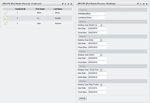
Contains two JSF 2 portlets: Customers and Bookings.
- When a customer is selected from the Customers portlet, the Customers portlet undergoes the Portlet 2 ACTION_PHASE and shares the public render parameter named "selectedCustomerId".
- When the Bookings portlet undergoes the Portlet 2 RENDER_PHASE, the value of the public render parameter named "selectedCustomerId" is injected by the bridge into the BookingsModelBean, and the bookings portlet will use that value to render the bookings for the selected customer.
- When the customer's details (such as first name / last name) are edited in the Bookings portlet, the customer data is changed in shared memory and the Customers portlet will re-render accordingly.
Utility
| JSF Registration Portlet |
|---|
 Released: September 13, 2017
 Technologies: Facelets, Liferay Faces Alloy, Liferay Faces Bridge
Binary Downloads: 2.0.1 (compatible w/Liferay Portal 6.2.x), 3.0.1 (compatible w/Liferay Portal 7.0.x)
Source Downloads: 2.0.1 (compatible w/Liferay Portal 6.2.x), 3.0.1 (compatible w/Liferay Portal 7.0.x)
GitHub: https://github.com/liferay/liferay-faces-portal/tree/3.0.1/demo/jsf-registration-portlet
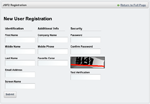
Contains a single portlet within the WAR that shows how to develop a JSF-based alternative to the out-of-the-box Liferay "Create Account" portlet. It uses Liferay Faces Alloy for UI form layout, and the <liferay-ui:captcha /> Facelet composite component from Liferay Faces Portal.
This is a fully functional Liferay portlet WAR that contains a single "Registration" portlet that demonstrates the Alloy aui: and aui-cc: tags in action.
From the screenshot you can see that there is an extra field named "Favorite Color" which does not appear in the Liferay out-of-the-box portlet. The Java code in the portlet shows how to add extra fields like this via the Liferay Expando feature.
Note: In order to use the portlet in Liferay, first it has to be deployed, and upon subsequent restart of the server, it can be accessed via the "Create Account" link in the Liferay Sign-In portlet.
| JSF JSP Applicant Portlet |
|---|
 Released: September 13, 2017
 Technologies: JSP, Liferay Faces Alloy, Liferay Faces Bridge
Binary Downloads: 3.1.0 (compatible w/Liferay Portal 6.2.x), 4.1.0 (compatible w/Liferay Portal 7.0.x)
Source Downloads: 3.1.0 (compatible w/Liferay Portal 6.2.x), 4.1.0 (compatible w/Liferay Portal 7.0.x)
GitHub: https://github.com/liferay/liferay-faces-bridge-impl/tree/4.1.0/demo/jsf-jsp-applicant-portlet
Contains a single "Job Application" portlet within the WAR that demonstrates several of the key features of JSF 2:
- Model managed-bean is marked with the JSF 2 @ViewScoped annotation in order to support a rich UI with the <f:ajax /> tag
- File upload capabilities via <h:form enctype="multipart/form-data">
- Managed-beans defined by marking POJOs with the JSF 2 @ManagedBean annotation
- Dependency injection of managed-beans done via the JSF 2 @ManagedProperty annotation
| JSF Export PDF Portlet |
|---|
 Released: September 13, 2017
 Technologies: Facelets, Liferay Faces Bridge, Flying Saucer PDF Converter
Binary Downloads: 3.1.0 (compatible w/Liferay Portal 6.2.x), 4.1.0 (compatible w/Liferay Portal 7.0.x)
Source Downloads: 3.1.0 (compatible w/Liferay Portal 6.2.x), 4.1.0 (compatible w/Liferay Portal 7.0.x)
GitHub: https://github.com/liferay/liferay-faces-bridge-impl/tree/4.1.0/demo/jsf-export-pdf-portlet
Contains a single portlet within the WAR that shows how to dynamically generate a PDF.
- Shows how to develop JSF 2 Resource and ResourceHandler implementations.
- Shows how the bridge uses the Portet 2 RESOURCE_PHASE for generating a URL.
- Uses the Flying Saucer project to convert HTML to PDF prior to rendering.
PrimeFaces
| PrimeFaces Users Portlet |
|---|
 Released: September 13, 2017
 Technologies: Facelets, Liferay Faces Bridge, PrimeFaces
Binary Downloads: 2.0.1 (compatible w/Liferay Portal 6.2.x), 3.0.1 (compatible w/Liferay Portal 7.0.x)
Source Downloads: 2.0.1 (compatible w/Liferay Portal 6.2.x), 3.0.1 (compatible w/Liferay Portal 7.0.x)
GitHub: https://github.com/liferay/liferay-faces-portal/tree/3.0.1/demo/primefaces-users-portlet
Contains a single portlet with a rich Ajax UI that shows how to develop a JSF-based alternative to the out-of-the-box Liferay User Management Library portlet.
Note:When this portlet is deployed it is added to the Control Panel, and is not available to be added to any portal pages directly.